Sign In to Confirm You're Not a Bot: Fixes for yt-dlp
yt-dlp's maintainers tie this error to your IP and request rate. Fix order: update yt-dlp (14 releases in a year), drop the VPN, slow down, then cookies.
Phil Duong
Builds Vidtrimmer
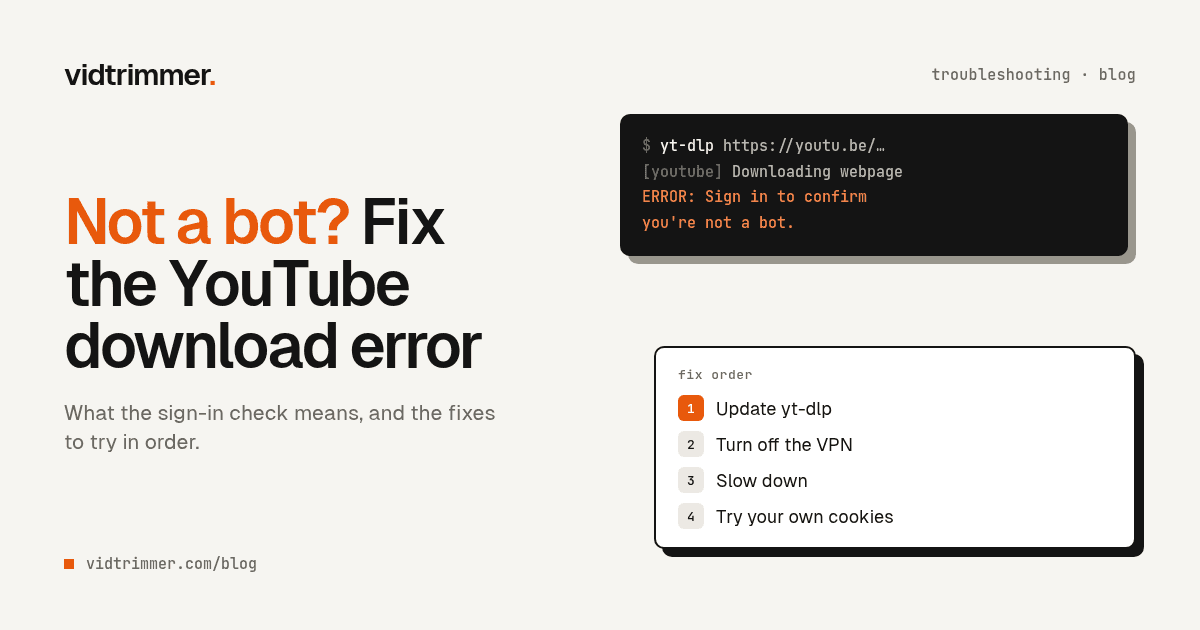
Your downloader worked yesterday. Today it prints Sign in to confirm you're not a bot and stops. Nothing is wrong with the video, and usually nothing is wrong with your command. Most likely, YouTube doesn't trust the connection the request came from, and it wants a signed-in account before it serves the video.
The fix is almost never one magic flag. It's a short list, in a fixed order, from the cheapest and safest step to the one that puts your Google account at risk. We run yt-dlp on our own servers, and this is the order we'd use ourselves.
Key takeaways
- The usual causes are your network and your request rate. A yt-dlp maintainer says that if blocks continue, you are "likely" "downloading too much too fast" or "running from a DC IP" (yt-dlp issue #10128).
- Fix order: update yt-dlp, turn off the VPN, wait and slow down, then pass cookies from your own browser.
- Cookies carry a real cost: the yt-dlp wiki warns your account could be "banned (temporarily or permanently)" (yt-dlp wiki).
| Step | What you do | Risk to you |
|---|---|---|
| 1. Update | yt-dlp -U, check the JavaScript runtime | None |
| 2. Change network | Turn off the VPN, try home or mobile data | None |
| 3. Slow down | Wait, then add -t sleep | None |
| 4. Cookies | --cookies-from-browser firefox | Your account can be flagged |
| 5. PO tokens | Nothing, for most people. A token doesn't fix a blocked IP | None |
| 6. Hosted service | Let someone else keep the tooling current | Cost |
What does "Sign in to confirm you're not a bot" mean?
It means YouTube refused to serve the video to a signed-out client it suspects is automated. YouTube's own help page says: "In order to protect the YouTube community, we may prevent signed-out users from accessing YouTube videos when they're attempting to download material for offline use" (YouTube Help). The "This helps protect our community" line in the full message echoes that wording.
yt-dlp doesn't create this message. It passes YouTube's reason through, removes the "Learn more" text, and appends its own hint. In the current source, any YouTube reason that contains "sign in" gets a pointer to --cookies-from-browser and the cookie guides (yt-dlp source). So the error you see starts like this:
ERROR: [youtube] VIDEO_ID: Sign in to confirm you're not a bot. Use --cookies-from-browser
or --cookies for the authentication. See  https://github.com/yt-dlp/yt-dlp/wiki/FAQ#how-do-i-pass-cookies-to-yt-dlp
for how to manually pass cookies. Also see ...That hint makes cookies look like the first fix. They are the fourth. The maintainers treat this as an issue on YouTube's side: the main tracking issue carries the external-issue label, and a maintainer closed it with "there's nothing we can do about the way YT runs their platform" (yt-dlp issue #10128).
Why does it hit desktop tools and cloud servers?
YouTube doesn't publish its rules, but yt-dlp's maintainers point to two causes: the IP address and the request rate. In the same issue, a maintainer wrote that if you still get blocked even with a valid PO token, you are "likely either downloading too much too fast and need to slow down, and/or are running from a DC IP which are susceptible to being blocked" (yt-dlp issue #10128).
A DC IP is a datacenter address, the kind cloud servers and hosted notebooks use. Your home connection isn't one, and that difference is the most likely reason a script can work on your laptop and fail as soon as you deploy it.
VPNs can have the same problem. YouTube doesn't say so for its own check, but Google's help page for the similar "unusual traffic" message on Google Search says you can get it if "others that use the same Virtual Private Network (VPN) you use" send automated traffic (Google Search Help).
Desktop apps can have one more weak point. An app that bundles its own copy of an extractor is only as current as the app's last update. When YouTube changes something, the bundled copy can break until the app ships a new build.
Fix it in this order
Work down the list and stop at the first step that works. Steps 1 to 3 cost nothing and carry no risk to your account.
1. Update yt-dlp, and check the JavaScript runtime
Update first, because YouTube changes often and old builds break. We counted the releases on October 11, 2026 through the GitHub API: yt-dlp shipped 14 stable releases between October 11, 2025 and October 11, 2026, the newest on August 19, 2026 (yt-dlp releases).
yt-dlp -U                   # release binaries
yt-dlp --update-to nightly # the channel the README recommendsIf you installed with pip, re-run the install command instead. The README warns that the latest stable release "is often "stale" and prone to external breakage", and calls nightly the "recommended channel for regular users" (yt-dlp README).
Then check the JavaScript runtime. Since version 2025.11.12, "yt-dlp now requires users to have an external JavaScript runtime (e.g. Deno) installed" to solve YouTube's challenges (yt-dlp release notes). Deno is the recommended runtime and is enabled by default (yt-dlp EJS guide).
Without a runtime, the maintainers say "format availability will be limited, and severely so in some cases", even when the bot check passes (yt-dlp issue #15012). If your files come out at 360p or with no sound, read why YouTube downloads are 360p or have no sound.
2. Turn off the VPN, or try another network
Turn off the VPN and run the same command again. If you are not on a VPN, try a different connection, such as home broadband instead of office Wi-Fi, or your phone's hotspot.
A quick test tells you whether the network is the problem. Open the video in a private browser window on the same connection, signed out. A maintainer asked an affected user exactly this: "are you able to access YouTube without an account on the same IP address in your browser?" (yt-dlp issue #10128). If the browser is also asked to sign in, the block is on the network, and a new network or a long wait is the clean fix.
3. Wait, then slow down
Stop for an hour, then download fewer videos, more slowly. The yt-dlp wiki puts the rate limit at "~300 videos/hour" for guest sessions and "~2000 videos/hour" for accounts, and recommends "a delay of around 5-10 seconds between downloads" (yt-dlp wiki).
The -t sleep preset does this for you. The README lists it as --sleep-subtitles 5 --sleep-requests 0.75 --sleep-interval 10 --max-sleep-interval 20, so each download waits a random 10 to 20 seconds (yt-dlp README).
yt-dlp -t sleep -a urls.txtIf you download a whole playlist or channel, pacing matters more than any other setting. Our bulk download guide covers archive files and batch limits.
4. Pass cookies from your own browser, at your own risk
Use your own signed-in session only after steps 1 to 3. The simplest form reads cookies straight from a browser where you are signed in to YouTube (yt-dlp FAQ):
yt-dlp --cookies-from-browser firefox "https://www.youtube.com/watch?v=VIDEO_ID"Read the warning first. The yt-dlp wiki says: "By using your account with yt-dlp, you run the risk of it being banned (temporarily or permanently)." It adds: "Be mindful with the request rate and amount of downloads you make with an account. Use it only when necessary, or consider using a throwaway account" (yt-dlp wiki).
The same page explains why cookies stop working after a while: YouTube rotates cookies on open tabs. Its more reliable method is a cookie file exported from a private window that you then close for good. For that method, it tells you not to use --cookies-from-browser, because that reads your regular browser profile and not the private session.
5. Know what PO tokens are, and what they don't fix
You may see PO tokens in threads about this error. The wiki defines a PO (Proof of Origin) token as "a parameter that YouTube requires to be sent with requests from some clients", and says that without one, requests for some clients' formats "may return HTTP Error 403" (yt-dlp PO Token Guide).
A token is not a cure for the bot check. A maintainer said a valid token "may help in some cases", and that people still blocked with one are likely downloading too fast or running from a DC IP (yt-dlp issue #10128). By default, yt-dlp tries clients that "do not currently require a PO Token" (yt-dlp wiki). We don't cover token setup here, because steps 1 to 3 address the causes the maintainers name.
6. Hand the job to someone who maintains it
If you hit the check every week, the real cost is the time you spend keeping a tool chain current. The last section covers when that trade makes sense.
What do the related YouTube errors mean?
Each error has a different cause, so read the exact text before you change anything. This table lists the first fix to try for each.
| Error text | Likely cause | First fix |
|---|---|---|
| Sign in to confirm you're not a bot | Most likely your IP or request rate (issue #10128) | Update, change network, slow down, then cookies |
| HTTP Error 403: Forbidden | A format URL was refused, for example a client that needs a PO token (PO Token Guide) | Update yt-dlp and install Deno, then retry with default settings |
| This content isn't available, try again later | Your session or account hit the rate limit, "for up to an hour" per yt-dlp's message (yt-dlp source) | Wait, then use -t sleep |
| Video unavailable | YouTube refuses playback for this video, a message it shows in its own apps too (YouTube Help) | Open the link in a browser on the same network. If it fails there, no tool can get it |
| Sign in to confirm your age | The video is age-restricted, and it is "not viewable to users who are under 18 years of age or signed out" (YouTube Help) | Cookies from an adult account, with the ban risk above |
| Private video | Only "you and whomever you choose" can see it (YouTube Help) | Ask the owner for access. No tool can open it without that |
For geo-blocks, yt-dlp detects YouTube's "The uploader has not made this video available in your country" text and reports it as a geo restriction, so the error names the problem clearly (yt-dlp source).
Old fixes that no longer work
OAuth login and hand-copied tokens no longer work as fixes, so skip any older guide that suggests them. For OAuth, the wiki now says: "Due to new restrictions enacted by YouTube, logging in with OAuth no longer works with yt-dlp. You should use cookies instead" (yt-dlp wiki).
For tokens, the PO Token Guide says "Manually extracting PO Tokens is no longer recommended", because YouTube now binds each token to one video ID (yt-dlp PO Token Guide). And we don't cover tricks to hide automated traffic from YouTube. The legitimate fixes above are the ones that hold up, and the legal side of downloading is its own question, which we cover in is it legal to download YouTube videos.
When does a hosted downloader make more sense?
When you need a few public videos and don't want to own the maintenance. Vidtrimmer runs the download on our servers, and we keep yt-dlp and the rest of the tooling updated, so a YouTube change is our problem to fix, not yours.
You paste a link, pick 360p to 4K, and get an MP4. A job that fails doesn't use a credit (pricing). If you only need to share a short moment, YouTube's own Clips feature needs no download at all, as our trim guide explains.
To be straight about the limits: our servers are servers. They can hit the same bot check, and when YouTube tightens it, our jobs can fail too until we adapt. Private videos are out of reach for us as for everyone else, because no account of ours was invited to watch them.
If you download a lot, run your own setup well instead: a home connection, a current nightly build, Deno installed, and -t sleep on every batch. That setup addresses the causes the maintainers name without putting an account at risk, though nothing guarantees YouTube won't ask again.
Questions
Why does YouTube say sign in to confirm you're not a bot?
YouTube Help says it may prevent signed-out users from accessing videos when they try to download material for offline use. A yt-dlp maintainer adds that people who keep getting blocked are likely downloading too much too fast, or running from a datacenter IP. It is about your connection and your request pattern, not a bug in your tool.
Does --cookies-from-browser fix the bot error?
It can get you past the check, which is why yt-dlp's own error message suggests it. The yt-dlp wiki warns that with your account you "run the risk of it being banned (temporarily or permanently)" and suggests a throwaway account. Try it after you update, change network, and slow down, not before.
How many videos can I download before YouTube rate-limits me?
The yt-dlp wiki estimates about 300 videos an hour for a signed-out guest session and about 2,000 an hour for an account, with default settings. It recommends a delay of 5 to 10 seconds between downloads. The -t sleep preset in yt-dlp waits 10 to 20 seconds before each download.
Why does yt-dlp work on my laptop but not on my server?
The IP address is the most likely difference. Cloud servers use datacenter IP ranges, and a yt-dlp maintainer wrote that DC IPs "are susceptible to being blocked", adding "We cannot help with this." The same command can pass from a home connection while the server keeps getting the bot check.
Can any downloader save a private YouTube video?
No. YouTube Help says private videos "can only be seen by you and whomever you choose", so a tool without one of those accounts gets an error. If the video is yours, YouTube Studio can download it as an MP4 in 720p or 360p, depending on the video size.
Need a clip from YouTube? Paste the link, set a start and end time, and download the MP4.
Trim a YouTube videoMore Articles
YouTube Download Only 360p or No Sound? Why It Happens
We listed every format of a 4K YouTube video: 37 were video-only and just 1, a 360p MP4, had sound. Why downloads drop to 360p or go silent, and the fix.
October 11, 2026
How to Download YouTube Videos in Bulk: yt-dlp or an API
Download YouTube videos in bulk with a yt-dlp batch file and a download archive, or a hosted API. yt-dlp shipped 14 releases in a year, so plan for updates.
October 11, 2026