How to Download YouTube Videos in Bulk: yt-dlp or an API
Download YouTube videos in bulk with a yt-dlp batch file and a download archive, or a hosted API. yt-dlp shipped 14 releases in a year, so plan for updates.
Phil Duong
Builds Vidtrimmer
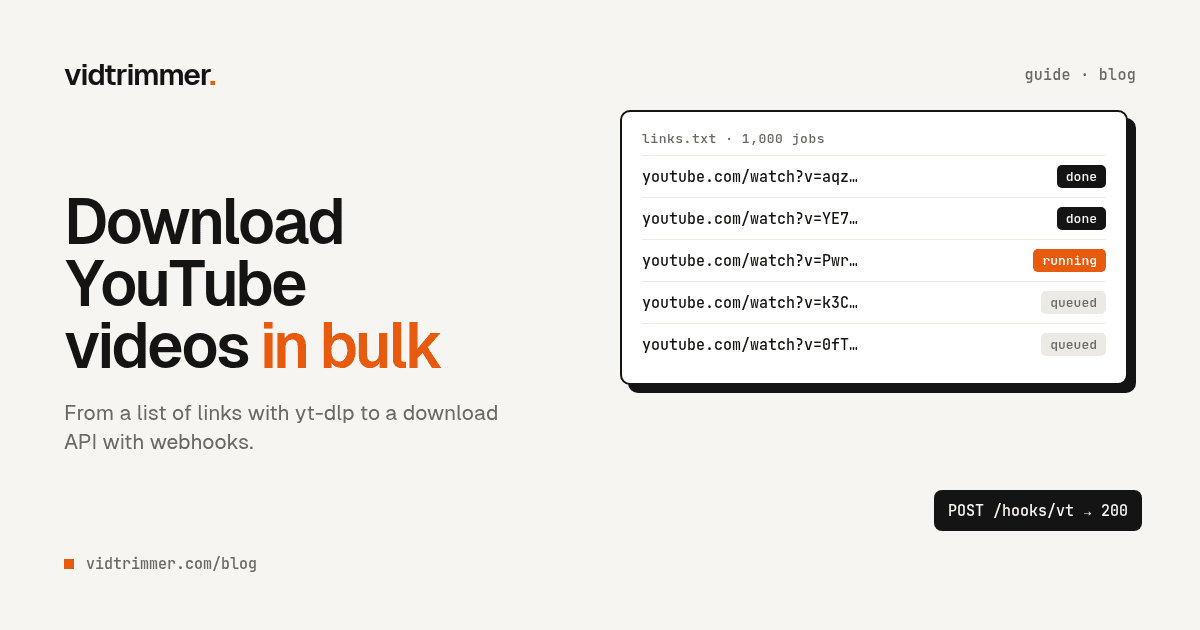
Downloading one YouTube video is easy. Downloading 150 links from a spreadsheet, or thousands a month for a research team, is a different job. You need a list format, a way to skip what's already done, file names you can sort, and a plan for the day YouTube starts to block your server.
For one person with 20 to 200 links, the answer is yt-dlp, the open source command-line downloader, plus a few of its options. For a team that needs files every day inside a pipeline, the real question is whether to run those workers yourself or call a hosted download API. This guide covers both. We checked every flag below against the current yt-dlp README on October 11, 2026.
Key takeaways
yt-dlp -a links.txt --download-archive done.txtdownloads a list and skips finished videos. The archive records "only successful downloads" (yt-dlp FAQ).- The yt-dlp wiki puts YouTube's guest limit at "~300 videos/hour", so add sleeps to big batches (yt-dlp wiki: Extractors).
- Self-hosting usually has the lower cash cost per file and gives full control. A hosted API charges per file and takes extractor updates and blocks off your plate.
How do you download YouTube videos in bulk with yt-dlp?
Put one link per line in a text file and pass it with -a (--batch-file). The README describes it as a "File containing URLs to download ("-" for stdin), one URL per line", and lines that start with "#", ";" or "]" are ignored as comments (yt-dlp README).
Install two helpers first. ffmpeg is "Required for merging separate video and audio files", and yt-dlp-ejs with a JavaScript runtime such as deno is "Required for full YouTube support" (yt-dlp README). Skip ffmpeg and you'll get the classic symptom described in why downloads come out at 360p or with no sound.
This is the command we'd give a friend with a list of links:
yt-dlp -a links.txt \
  --download-archive done.txt \
  -t mp4 -S "res:1080" \
-o "%(upload_date>%Y-%m-%d)s - %(title)s [%(id)s].%(ext)s"What each part does, per the README:
--download-archive done.txtwill "Download only videos not listed in the archive file. Record the IDs of all downloaded videos in it." If the run stops halfway, run the same command again. The FAQ adds that "only successful downloads are recorded", so failed videos get another try.-t mp4is a preset for--merge-output-format mp4 --remux-video mp4with a preference for H.264 video and AAC audio, which plays almost everywhere.-S "res:1080""prefers larger videos, but no larger than" the value you set. That one setting keeps disk use under control.-osets the file name. Keep%(id)sin it, because two videos can have the same title.
One failed video won't stop the list. --no-abort-on-error is the default, which means yt-dlp will "Continue with next video on download errors" (yt-dlp README).
Download a whole playlist or channel
Pass the playlist URL instead of a file:
yt-dlp --download-archive done.txt -t mp4 \
  -o "%(playlist)s/%(playlist_index)s - %(title)s [%(id)s].%(ext)s" \
"https://www.youtube.com/playlist?list=PL..."This puts each playlist in its own folder, numbered in playlist order. The README uses the same pattern and shows a channel example too: a /playlists URL that downloads "all playlists of YouTube channel/user keeping each playlist in separate directory" (yt-dlp README). Keep the same archive file between runs and the command works as a sync. Run it every week and it fetches only the new uploads.
Which yt-dlp options keep a big batch from getting blocked?
The sleep options do, because YouTube limits how fast one session can fetch videos. The yt-dlp wiki says the error "This content isn't available, try again later" is "caused by your YouTube guest session or account exceeding the YouTube video request rate limit", and it recommends "a delay of around 5-10 seconds between downloads" (yt-dlp wiki: Extractors).
| Option | What the README says it does |
|---|---|
--sleep-requests SECONDS | Sleep "between requests during data extraction" |
--sleep-interval SECONDS | Sleep "before each download". It's the minimum when you also set a maximum |
--max-sleep-interval SECONDS | "Maximum number of seconds to sleep" (the wait is random between the two) |
-r, --limit-rate RATE | "Maximum download rate in bytes per second, e.g. 50K or 4.2M" |
-N, --concurrent-fragments N | Fragments of one "dash/hlsnative video" fetched at the same time (default 1) |
-R, --retries RETRIES | Retries per download (default 10) |
-t sleep | Shortcut for sleep-requests 0.75, sleep-interval 10, max-sleep-interval 20, sleep-subtitles 5 |
People often misread -N. It doesn't download several videos at once. It fetches fragments of one DASH or HLS video in parallel, so it never runs the videos in a list side by side. Running several yt-dlp processes side by side does speed up a list, but it also multiplies your request rate, which is the thing YouTube counts.
For an overnight run of a few hundred links, we'd use:
yt-dlp -a links.txt --download-archive done.txt -t mp4 \
  --sleep-requests 1 --sleep-interval 8 --max-sleep-interval 20 \
-r 4M -o "%(title)s [%(id)s].%(ext)s"With 8 to 20 seconds of sleep before each video, 200 videos add roughly 27 to 67 minutes of waiting. That's a small price next to a blocked IP. The wiki gives a higher limit for signed-in accounts, "~2000 videos/hour", but it also warns: "By using your account with yt-dlp, you run the risk of it being banned (temporarily or permanently)." It suggests cookies only for content that requires an account. If you sign in anyway, use your own account and accept that risk.
What breaks when you download thousands of videos a month?
The commands stay the same at scale, but the failure modes change. A pipeline on rented servers meets IP blocks, extractor breakage, merge failures, full disks, and lost job state. The first one often shows up as YouTube's "Sign in to confirm you're not a bot" check, the subject of a long yt-dlp issue that maintainers labeled external-issue (yt-dlp issue #10128).
Server IPs get blocked first. In that issue, a yt-dlp maintainer wrote that if you're still IP blocked even with a valid PO Token, "you are likely either downloading too much too fast and need to slow down, and/or are running from a DC IP which are susceptible to being blocked. We cannot help with this." (yt-dlp issue #10128, comment). DC means data center, which is where most cloud workers run. Our guide to the not-a-bot error covers the legitimate fixes.
YouTube changes, and the extractor follows. We counted releases with the GitHub releases API on October 11, 2026. yt-dlp shipped 14 stable releases between October 11, 2025 and October 11, 2026, and the newest is 2026.08.19 (yt-dlp releases). Not every release fixes YouTube, but a worker you never update will break. yt-dlp shows a warning once a version is "older than 90 days" (yt-dlp README). A pipeline needs a scheduled yt-dlp -U (or a package upgrade) and a small test download after each one.
Merges need ffmpeg and time. We ran yt-dlp -F on the official 4K 60 fps upload of Big Buck Bunny on October 11, 2026. Only one of its formats, format 18 at 360p, had both video and audio. Every higher resolution means two downloads and an ffmpeg merge. The README says that "if ffmpeg is unavailable", the default becomes -f best/bestvideo+bestaudio (yt-dlp README), so a worker without ffmpeg falls back to the best single file. For this video, that was the 360p format 18.
Disk fills faster than you'd guess. In the same format list, the 1080p H.264 DASH stream (format 299) was 245.69 MiB and the 4K VP9 stream (format 315) was 1.27 GiB, before audio. Cap the resolution, and use -P temp:/path/to/scratch so part files land on a scratch disk. The README says intermediary files are "first downloaded to the temp path and then the final files are moved over to the home path."
Retries cover the network, not your process. -R and --fragment-retries both default to 10 tries. They don't help when the worker restarts mid-batch. A real pipeline keeps job state outside yt-dlp: one row per video ID, a status (queued, running, done, failed), and the error text. Then a deleted or private video becomes a permanent failure, not an endless retry.
Should you build a yt-dlp worker or buy a download API?
Build it if you have engineering time, need full control over formats and processing, and want the lowest cash cost per file. Buy it if downloads are a step in your product rather than the product, and you'd rather pay per file than track 14 extractor releases a year (yt-dlp releases).
| Self-hosted yt-dlp worker | Hosted download API | |
|---|---|---|
| Who updates the extractor | You, on your schedule | The provider |
| Blocks and retries | You: sleeps, IP reputation, cookies, retry logic | The provider. You see a failed job |
| Cost model | Free software (Unlicense) plus servers, bandwidth, storage, and engineer time | A price per download |
| Time to first download | Minutes on a laptop. Longer for a monitored pipeline | After onboarding and API key setup |
| Control | Full: any format, flag, or post-processing step | The options the API exposes |
| Where files live | On your own machines from the start | You fetch them from the provider |
Self-hosting usually wins on cash cost per file and on control, and a modest, steady volume from one machine often needs little more than the sleeps and the update job above. The hosted route mostly buys back maintenance: the on-call page when YouTube changes something at 2 a.m. goes to someone else.
How a download API job works
A download API turns each video into a job. You send one HTTP request with the link and options, the service queues and processes it, and you learn the result by webhook or by polling. This is the request from our own Vidtrimmer business API:
curl -X POST https://api.vidtrimmer.com/v1/jobs \
  -H "Authorization: Bearer vt_live_…" \
  -H "Content-Type: application/json" \
-d '{"url": "https://youtube.com/watch?v=…", "quality": "1080p", "start": 30, "end": 150, "webhook_url": "https://you.example/hooks/vt"}'The job downloads the video at the quality you ask for, cuts it from 30 to 150 seconds, and returns an MP4. Leave out start and end for the full video. The cut is frame-exact, which needs one re-encode; our guide to lossless cuts explains that trade-off. When the file is ready, the service calls your webhook_url, or you poll the job. Then you fetch the file from the result URL.
Webhooks vs polling. With polling, your code asks "is it done?" for every open job, again and again, and most answers are "not yet". With a webhook, the service makes one call to you when the job finishes. That suits batches: submit the whole list, then handle callbacks as they arrive. Keep a slow poll as a backup for any missed callback, and make your handler safe to run twice for the same job.
The commercial details, plainly: API keys are set up during onboarding, not through a sign-up form. Pricing is quoted per download from 1,000 downloads a month, and failed jobs are free. It works on public videos only. Ask about throughput for your volume during onboarding, because we won't print numbers here that we haven't agreed with you.
Only bulk-download what you have rights to
Scale makes the rights question bigger, not smaller. YouTube's Terms of Service bar users from downloading any Content "except: (a) as expressly authorized by the Service; or (b) with prior written permission from YouTube and, if applicable, the respective rights holders" (YouTube Terms of Service). Bulk-download your own uploads, material you have a license for, or content whose owner gave permission. Our post on whether it's legal to download YouTube videos covers the details.
Pick a route by the size of your list
The right tool depends mostly on how many links you have and how often new ones arrive.
- 20 to 200 links, one time: the first yt-dlp command, with sleeps, on your own computer overnight.
- A playlist or channel you keep in sync: the playlist command with the same archive file, run weekly.
- A few videos and no terminal: paste each link into the online downloader one at a time.
- Thousands a month inside a product or research pipeline: read the build-vs-buy table again, and price the engineer time honestly before you pick.
Questions
How do I download multiple YouTube videos at once?
Put one link per line in a text file and run yt-dlp with -a links.txt. The yt-dlp README says the batch file takes one URL per line, and lines that start with #, ; or ] are treated as comments. Add --download-archive done.txt so a second run skips every video that already finished.
How do I download a whole YouTube playlist?
Pass the playlist URL to yt-dlp instead of a single video link. Add --download-archive with a file name, and each later run downloads only new videos. The yt-dlp FAQ notes that only successful downloads are recorded in that file, so re-running the same command also retries the ones that failed.
How many YouTube videos can I download per hour?
The yt-dlp wiki puts the limit at about 300 videos an hour for a guest session and about 2,000 for a signed-in account, with default settings. It recommends a 5 to 10 second delay between downloads. Signing in has a cost: the same page warns that your account can be banned, temporarily or permanently.
Why does bulk downloading fail on a server but work on my laptop?
Often because of the IP address. In yt-dlp issue #10128, about the 'Sign in to confirm you're not a bot' error, a maintainer wrote that data center IPs 'are susceptible to being blocked' and that the project cannot help with it. The same comment says to slow down if you download too much too fast.
Is there an API to download YouTube videos for a business?
Yes, hosted download APIs exist for this. Vidtrimmer's API takes one POST request per video with the URL, quality, and optional start and end times, then calls your webhook when the file is ready. Pricing is quoted per download from 1,000 downloads a month, and failed jobs are not charged.
Need a clip from YouTube? Paste the link, set a start and end time, and download the MP4.
Trim a YouTube videoMore Articles
Sign In to Confirm You're Not a Bot: Fixes for yt-dlp
yt-dlp's maintainers tie this error to your IP and request rate. Fix order: update yt-dlp (14 releases in a year), drop the VPN, slow down, then cookies.
October 11, 2026
Is It Legal to Download YouTube Videos? Two Rules
YouTube's Terms ban downloads without the Service's OK or written permission. US fair use has 4 factors. A UK court quashed the private copy exception in 2015.
October 11, 2026